Maximizing Security with Float: 5 Proven Tips



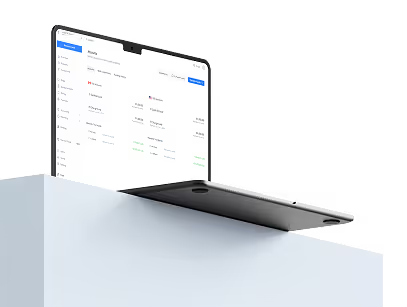
Float has been built from the ground-up with financial control at the centre of everything we do. Float’s real-time spend management control lets you see financial transactions as they happen, and allows finance teams to:
- Issue physical or virtual cards by employee or vendor with spend limits and the ability to pause or cancel cards at any time
- Apply card controls like Merchant Controls to limit transactions to specific merchant categories
- Route and audit spend requests with multi-level approvals
On top of Float’s spend management controls, our Risk team works hard to keep your account and cards safe by monitoring for suspicious activity and working with our customers to implement best practices. Your team can help keep business spend secure with Float with these 5 tips:
Enhance account security and enable MFA or SSO
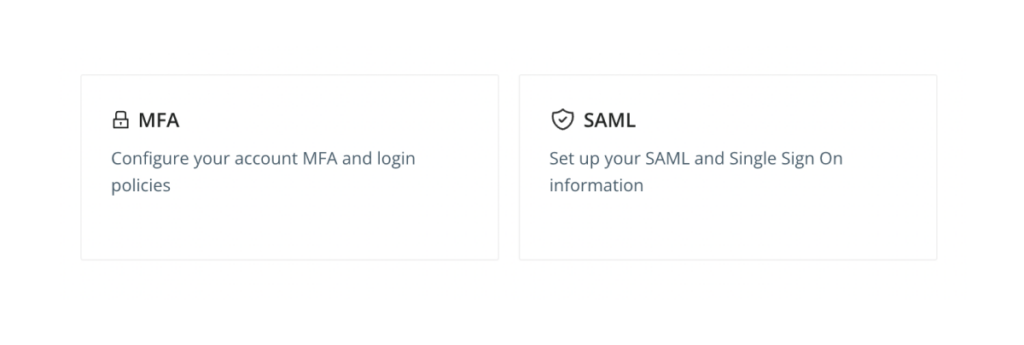
Protecting login details and having strong passwords are important steps to keeping your team’s accounts secure.
With Float, your team can enable multi-factor authentication (MFA) or single-sign on (SSO) for improved account security. Both MFA and SSO help prevent someone from accessing your account if they get hold of your username and password.
✅ Learn more about MFA and SSO
Review company transactions as they happen
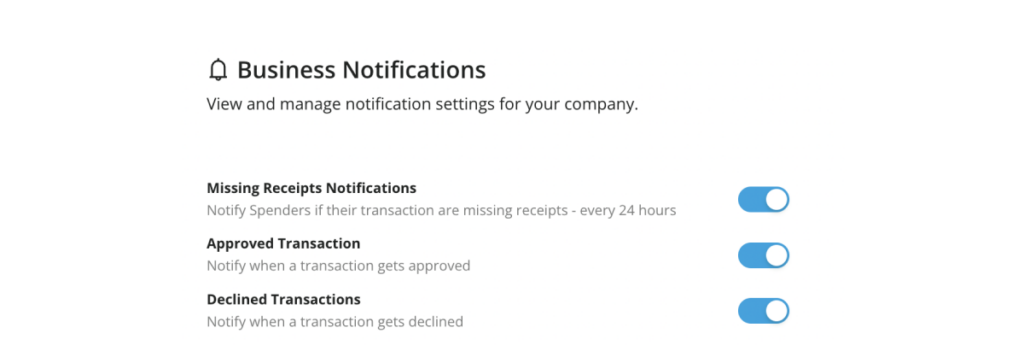
Review transactions made on Float cards in real-time via the web-app, and ensure cardholders have notifications turned on for automated expense notifications and receipt capture. That way, cardholders are notified immediately when transactions are made and can be alerted to suspicious activity.
✅ Turn on transaction notifications on your Float cards
If you notice a suspicious transaction or a Float card is lost or stolen, immediately notify the Primary Admin or our Support team at support@floatfinancial.com for help.
Cancel inactive cards

Regularly review your company’s Float cards to look for unused or inactive cards. Go to the “Cards” page and filter by Spender, Merchant, or Pause status to find cards to edit or delete. Our team can help bulk delete cards, just contact our Support team.
✅ Terminate inactive or dormant cards
Also be sure to regularly review card limits and ensure recurring limits are still relevant. With Float’s Audit Logs, you can export a history of recurring cards and limit increases from the “Cards” page.
Review access to company information

Fund transfers to Float are completed via secure electronic pre-authorized debit agreements. All Admins have access to transfer funds to Float and can view transfer histories. Ensure access to your bank account is given only to those who need access.
Primary Admins will get notified of fund transfers. If you notice an unauthorized transfer to your Float account, please contact support@floatfinancial.com and we will immediately review the activity.
Keep cardholders and users up-to-date
Remember to remove users and cardholders who no longer need access to Float or a Float card as soon as possible. Float can help remove users in bulk if you request as well!
Remember, it’s best practice to delete and create a new card instead of re-assigning a card if possible. If you have SSO set up, you should still remove the user's associated card from Float.
---
If you have any questions on how to enable MFA, terminate cards, re-assign cards or remove a User, please check our help center or reach out to support@floatfinancial.com. We’re here to help!