Introducing the Float Mobile App

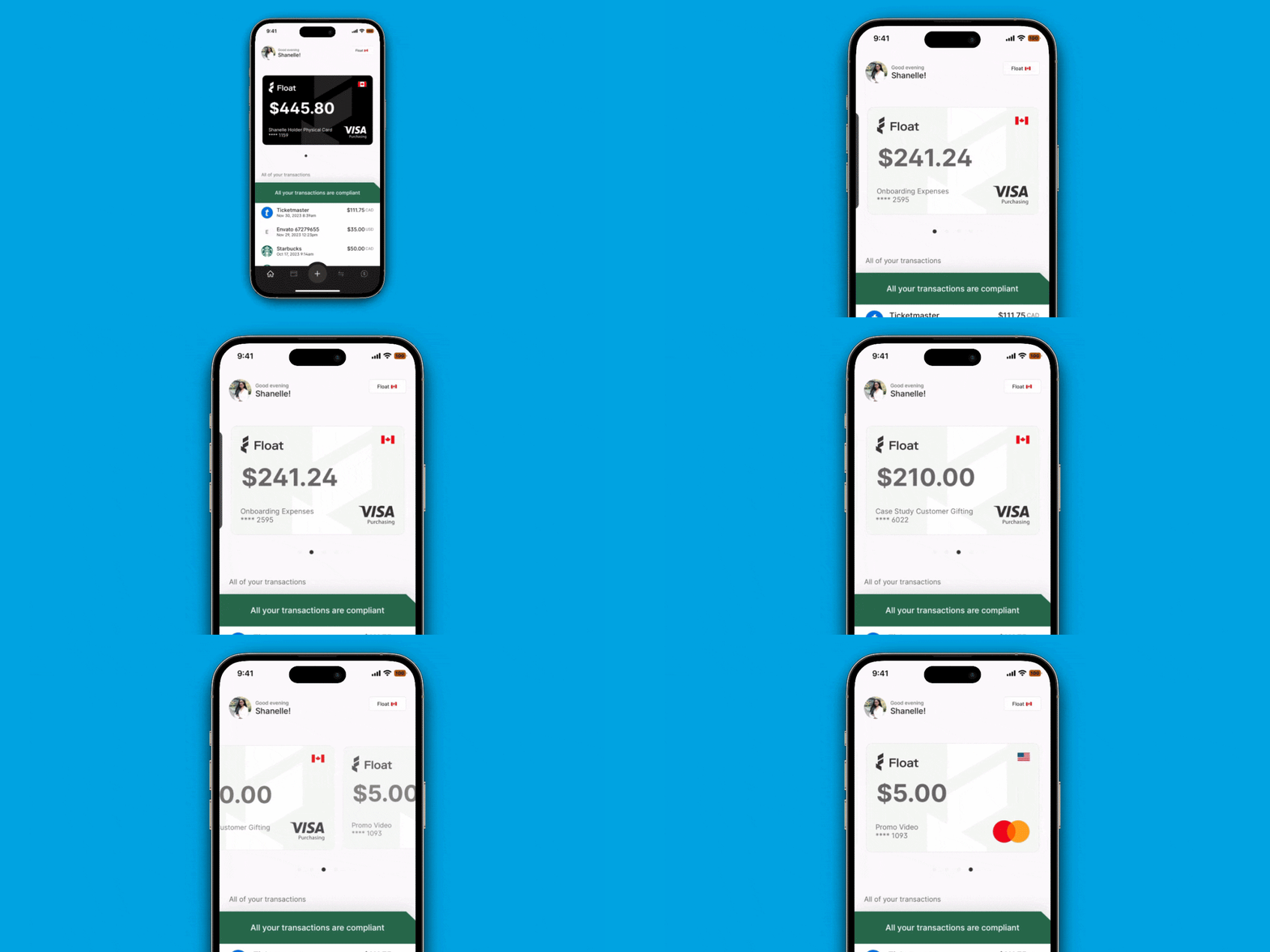

The much-anticipated Float mobile app is here!
Float cardholders can now easily manage their individual spending on-the-go, from card requests to receipt capture to reimbursements. Managers and Administrators can also manage company and team spend from anywhere, with timely push notifications on business spend and simple approvals in-app.
Let’s dive into what makes Float’s new app so game changing for business spending in Canada. (Already a Float customer? Be sure to download the app here).
Seamless Requests and Approvals
Spenders can now request new spend for business payments in just a few taps right from their phone - especially useful for those impromptu purchases that pop up when you’re on-the-go and away from a desktop. You’ll be able to:
- Request a net new Float corporate card (this is a great option to segment spend for a new vendor or a one-time purchase
- Request a card limit increase for a purchase on an existing Float card (either recurring or temporary)
- Submit expenses for reimbursements as soon as you spend for speedier repayments
When Spenders submit new requests on the app they’ll be prompted to select a Submission Policy as usual, so they’re spending within the guardrails of your company’s unique expense policies.
💡Pro-tip: Be sure to turn push notifications on to stay in the know! Managers get notified right away via push notification to quickly approve new requests. Once approved, the Spender is also notified immediately via push and brought back to the app to access their new card details.
Simplified Business Spending
We wanted to give Spenders easy visibility into their individual spending, while enjoying a frictionless experience making business purchases. On the new mobile app you can see all of your spend in one simple view and access card details simply to make business payments wherever you are.
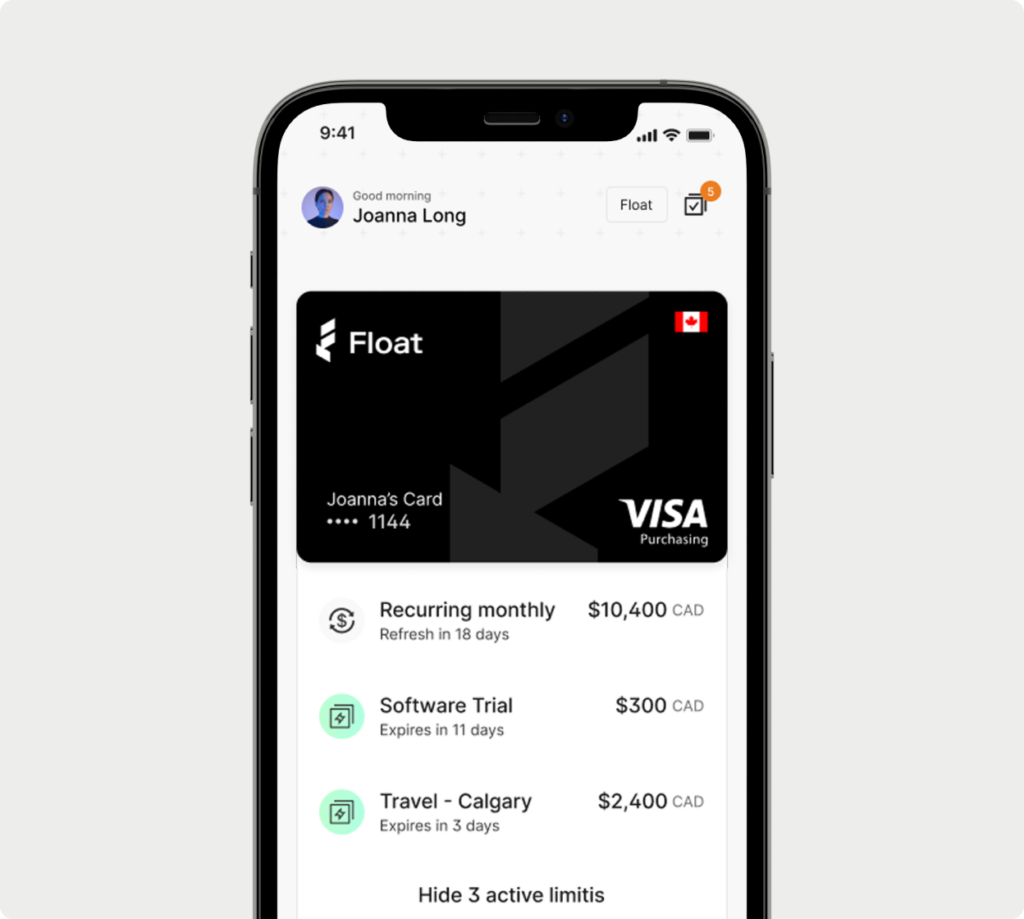
- No more wondering what you have left to spend across your Float cards. Quickly view your physical and virtual card limits (for CAD and USD spend)
- Access your card details securely from your phone to pay vendors online
- Add your card details to your phone’s mobile wallet to conveniently tap to pay
We’ll send Spenders push notifications whenever a transaction goes through on one of their Float cards, so they are always aware of their spend (and can upload receipts and expense details as soon as a purchase is made).
Hassle-free Compliance
Your company’s expense policies don’t need to be a mystery to Spenders. With policies implemented directly on Float Cards, they can easily make purchases for the business within your guidelines.
With card controls like custom limits and merchant controls, Float automates the expense process, meaning no more receipt chasing at month-end. Spenders can tap into their Float Card details within the app, and view the Submission Policies and Approved Categories applied to their card spending by the Finance team to make informed spending decisions on behalf of the company.
- Spenders get prompted to add receipts, tags, and codes from their phone as soon as they spend to stay compliant
- Spenders can snap a photo of a receipt with their phone’s camera or upload a photo from their camera roll (before those receipts go missing)
- Spenders can easily view all non-compliant transactions that they need to take action on
Spenders get reminded via push to upload receipts along with any other information your company’s Submission Policy requires (like vendor, GL codes, or purchase descriptions) to make closing the books easier for the Finance Team.
Smart spend management that fits in your pocket
If you haven’t rolled out the new mobile app to your team yet, don’t wait. The app is available to download for free on the App Store and on Google Play. We’ve created this one-pager for your Spenders to help get them set up on the app. Not yet a Float customer? Book a demo or sign up today to start simplifying spending for your team.
https://www.youtube.com/watch?v=qYWQZSB_KlE